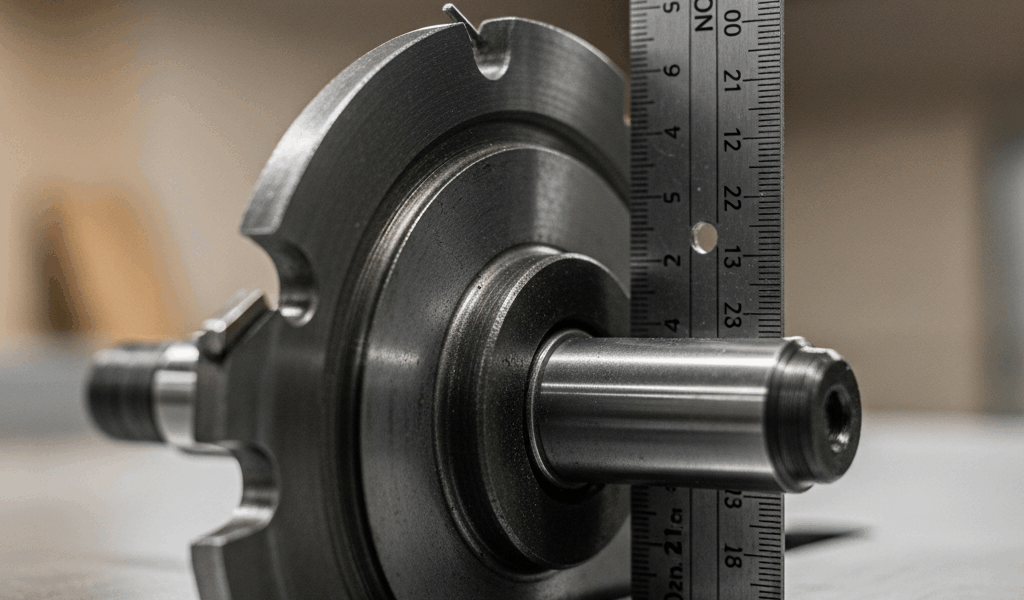
Table Saw Blade Wobble Has Grown more complex with the Conflicting Advice Flying Around
As someone who spent three years replacing parts that didn’t need replacing, I worked through the fundamentals of blade wobble the hard way. Today, I will share it all with you.
The real problem? “Wobble” gets used to describe two completely different things. I kept blaming my arbor — convinced the shaft was shot — when I was actually dealing with runout the whole time. Took me an embarrassingly long while to figure that out.
But what is blade wobble, exactly? In essence, it’s unwanted lateral movement in your spinning blade. But it’s much more than that. Runout is when the blade’s cutting edge deviates from a perfect circle — you see it as a side-to-side shimmy. True wobble is the whole blade tilting forward and back on the arbor, like a coin wobbling flat on a countertop. One problem lives in the blade or flange. The other lives in the arbor itself. Treating them the same way will waste your time and money.
Most of what you’re actually seeing is runout. And honestly, runout under 0.005 inches won’t ruin your cuts. But if you’re reading this, something is bothering you enough to dig in. So, without further ado, let’s figure out where it’s coming from.
Measure First. Touch Nothing Until You Do.
Worth flagging before going further. Skipping measurement is how people end up buying three arbors before realizing the blade was the problem all along. Spare yourself the wrong turn I took.
A dial indicator is the right tool here — mount it against the blade plate, not the teeth, at the widest point you can safely reach. Spin the blade slowly by hand. Watch the needle. Write down the highest and lowest numbers. The gap between them is your runout figure. Under 0.005 inches is fine for most cabinet saws. Between 0.005 and 0.010 inches means something is loose or worn. Over 0.010 inches means every cut you make is being affected right now.
No dial indicator? The pencil trick works in a pinch. Clamp a pencil so the tip barely grazes the blade plate, then rotate the blade by hand. A faint, consistent line means you’re within tolerance. A line that digs in deep or skips entirely — that’s your problem showing itself. A decent dial indicator runs about $25 on Amazon. The Starrett 25-441J is what I use. Worth every cent.
The Four Things That Actually Cause It
Debris and Pitch on the Arbor Flange
This is the culprit most of the time — and the cheapest fix by a wide margin. The arbor flange is the shoulder your blade seats against on the shaft. Sawdust, dried pitch, and wood resin build up there quietly over months of cutting. Once that gunk is thick enough, your blade can’t sit flush anymore. It rocks slightly. You feel it the second you spin the blade by hand.
Run your finger across the flange. Grit, stickiness, or any rough texture at all — you’ve found it. A buildup this minor can produce 0.003 to 0.005 inches of runout all by itself. That’s enough to drive you completely nuts on a fine crosscut.
A Warped or Cheap Blade
Thin-kerf blades warp easier than standard kerf blades — thinner steel, more flex, less forgiveness. Budget blades sometimes arrive warped straight out of the packaging. I’m apparently a Freud person and their blades work for me while no-name thin-kerf blades never stay true past the first month.
Hold a suspicious blade up under a bright shop light. Look along the plate. Curves, bends, any deviation from flat — that blade is your problem. Steel blades also absorb moisture and can warp from poor storage. Carbide-tipped blades are more resistant but not immune, especially after a hard impact.
A Worn or Bent Arbor
This one is more serious. A bent arbor produces excessive lateral movement — the blade tilts and noses in and out as it spins, a sensation you can feel in your hands immediately. It’s different from shimmy. It feels almost like the blade is trying to steer itself.
Worn arbor bearings feel different again: a grinding drag as you rotate the blade slowly, sometimes accompanied by a faint grinding noise. Arbors get bent from drops, crashes, or years of forcing material through the blade at bad angles. This doesn’t fix itself.
A Loose or Damaged Arbor Nut
The arbor nut locks the blade against the shaft. A loose one lets the blade shift a fraction with every pass — enough to matter. Grab the blade with both hands and try to wiggle it up and down. Zero movement. That is the correct answer. Any movement at all and the nut needs attention.
Stripped threads are rare on quality saws — but older machines and saws that met someone’s cheater bar will surprise you. A damaged thread lets the blade sit at a slight angle instead of dead flat against the flange.
How to Fix Each One
Fix 1 — Clean the Arbor Flange
Unplug the saw first. Pull the blade. Grab a stiff brush and some mineral spirits — acetone works faster if you have it. Scrub the arbor shaft and both faces of the flange until a clean white rag comes away without any discoloration at all. Every surface that touches the blade needs to be spotless and completely dry before you reinstall anything.
Put the blade back, measure runout again. Eight times out of ten, this is the whole fix. Cost: about five dollars and fifteen minutes of your afternoon.
Fix 2 — Swap the Blade
Before spending money on a new blade, confirm the old one is actually warped. Borrow a blade you know is good from another saw or a friend. Mount it, measure the runout. If the number drops dramatically, the original blade was the problem all along.
When you do buy a replacement, spend the extra money. A $40 Freud LU83R010 or a comparable Bosch will outlast a $15 no-name blade and won’t warp on you inside a year. Thin-kerf blades are convenient for underpowered saws — but if wobble has been your enemy, standard kerf is the more forgiving choice.
Fix 3 — Replace the Arbor
A bent arbor is not a backyard fix. Frustrated by the idea of a full teardown, plenty of woodworkers try to work around a bent arbor — and they all regret it eventually. Replacement costs run $150 to $400 depending on the saw model. A bent arbor left running will destroy blades, burn your motor, and eventually do something dramatic at the worst possible moment.
If you’re comfortable pulling the table, unbolting the motor, and pressing out a bearing, buy the manufacturer’s replacement part and follow the service manual page by page. If that sentence made you uncomfortable, take the saw to a repair shop. Seriously.
Fix 4 — Tighten or Replace the Arbor Nut
Unplug the saw. Try tightening the arbor nut with the correct wrench — most cabinet saws take a half-inch, but check your manual before assuming. Tighten it firmly, not violently. Target torque for most saws sits around 50 to 70 foot-pounds. Check your manual on that too, because some older Unisaws spec differently.
Spin the blade after tightening. If the wobble is gone, you’re done. If the nut feels sloppy as you tighten it — like it’s turning without really catching — the threads are stripped. Replacement nuts run $15 to $25 from the manufacturer. Severe thread damage on the shaft itself may require rethreading or a helicoil insert, which is a machine shop job.
When to Stop Running the Saw Entirely
Visible wobble at full speed — stop. Burning smell from the arbor area — stop. Blade deflecting noticeably mid-cut — stop. Vibration shaking your hands through the fence or table surface — stop.
That’s not fear-mongering. A blade close to failure can throw material. A seizing arbor can bind mid-cut. A bent blade can kick back hard enough to put something through a wall. Diagnose the problem first. Fix it second. Cut third. That order matters.



Stay in the loop
Get the latest the home woodshop updates delivered to your inbox.