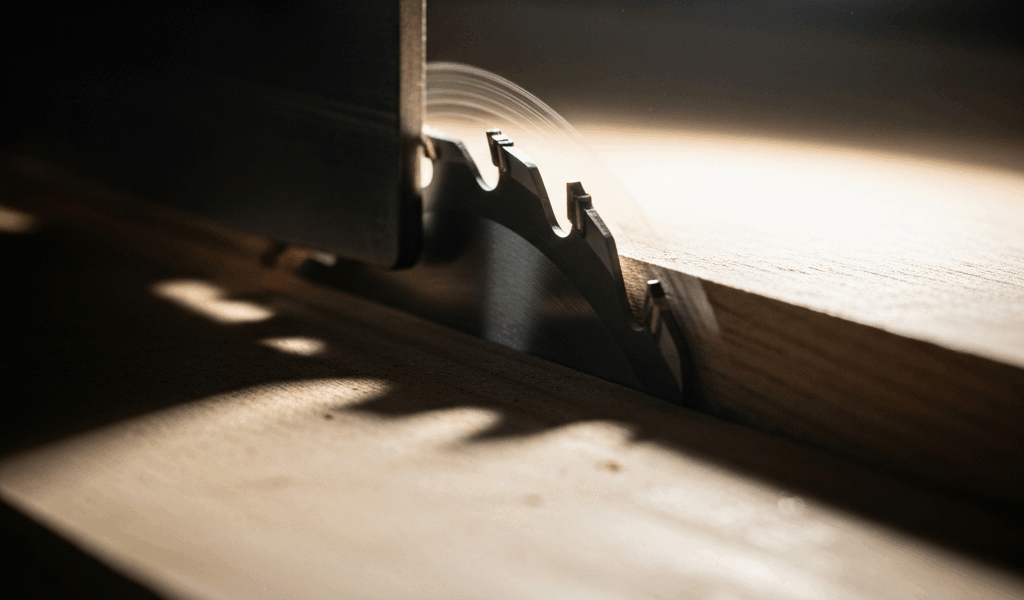
Why Table Saw Blades Wobble Under Heavy Load
Table saw blade wobble when cutting thick stock feels catastrophic until you realize it’s usually fixable. I learned this the hard way after spending $180 on a new Freud blade, only to discover the wobble came from my arbor assembly, not the blade itself. Turns out I’d been chasing the wrong problem entirely.
When you feed thick material through your saw, the blade experiences sideways pressure that standard-thickness material barely registers. A 4/4 walnut board? Manageable. Three-inch-thick maple is a different animal entirely. The blade’s teeth encounter grain resistance that pushes laterally against the body of the blade, and if anything in your setup is loose or worn, you’ll see visible deflection immediately.
Here’s the mechanical reality: every blade has some runout—the amount it wobbles as it spins. Factory tolerances typically allow 0.003 inches, which is roughly the thickness of a piece of paper. You won’t notice that wobble during light ripping. But with heavy stock, even minor runout amplifies into visible and audible vibration. Deflection is different though. That’s the blade bending under load, which is physics, not a defect.
The distinction matters because it changes your diagnosis. A warped blade needs retiring. A loose arbor nut needs tightening. A worn spindle bearing needs professional attention. Probably should have opened with this section, honestly — knowing what you’re actually dealing with saves you money and keeps you safe.
Test 1 — Check Your Blade for Damage or Warping
Start here. This takes five minutes and costs nothing. Inspect the blade visually first. Look for teeth that are cracked, missing, or visibly bent. Check the gullets — the valleys between teeth — for packing, which is resin buildup that can create imbalance. A blade with three consecutive cracked teeth is done. Retire it.
Now the practical test. Remove the blade and lay it flat on your table saw’s top surface — the cast iron table, not the wooden wings. Spin it slowly by hand. Watch the teeth. If they maintain consistent distance from the table as they rotate, you’re good. If some teeth appear closer or farther from the surface, you have warping.
The feeler gauge method works well. Place a standard feeler gauge at 0.003-inch thickness under the blade body at the outer edge, opposite the arbor. Spin the blade slowly. The gauge should slide under without binding at any point. If it catches or stops, you have warping beyond tolerance.
A dial indicator is more precise if you own one — mount it on your table so the needle contacts the blade body at the outer edge, not the teeth. Zero the indicator, then slowly rotate the blade by hand. Maximum runout on the blade itself should stay under 0.005 inches for thin kerf blades, 0.008 inches for standard kerf. If you’re north of 0.010 inches, the blade is spent.
Document what you find. Write down the measurement and blade model. This data proves whether the blade is actually the problem before you spend money on a replacement.
Test 2 — Verify Arbor Nut and Flange Seating
This is where I found my problem. The arbor nut was hand-tight. Hand-tight. I’d removed it maybe two months prior to clean the arbor, reinstalled it casually, and didn’t bother with the wrench. Apparently that was all it took to create wobble.
Your table saw’s arbor assembly consists of the arbor shaft spinning on bearings, two flanges that act as washers clamping the blade, and the arbor nut holding everything together. The nut must be tight enough to prevent lateral play but not so tight you strip threads or damage the blade. Most manufacturers spec 60–80 inch-pounds of torque. That’s firm, not crushing.
Here’s the quick test: Remove the blade. Grab the arbor shaft by the flange area and try to move it side to side. There should be zero lateral play. None. If you feel any movement whatsoever, the nut is loose.
Tightening procedure — note the rotation direction of your arbor first. Most blades rotate clockwise, so the nut tightens counterclockwise, which is opposite to normal logic. Check your manual to confirm. Use the correct wrench size for your arbor, usually 13/16 inch or 7/8 inch. Tighten firmly until you feel resistance. Don’t overtighten. You’re looking for snug, not breakage.
Inspect the flanges themselves while you’re at it. They should be flat and undamaged. A bent flange creates wobble immediately. If the flange surface is pitted or cracked, replace the flange set — usually a $20–$40 purchase depending on your saw model.
While you’re here, clean the arbor shaft with a wire brush and degreaser. Sawdust buildup prevents proper seating. I use a brass brush and mineral spirits. Takes three minutes and eliminates a common source of runout that nobody talks about.
Test 3 — Diagnose Spindle Runout with a Dial Indicator
A dial indicator is your mechanical detective. If you don’t own one, a basic 0–0.100-inch indicator runs about $25 from Harbor Freight. Worth the investment if you’re serious about your saw.
Mount the indicator so the needle contacts the arbor shaft surface directly — at the point where the flanges clamp. Zero the needle. Rotate the shaft slowly by hand. Maximum runout should be 0.002–0.003 inches on the shaft itself. Most quality saws hit 0.001 inches or better.
If your shaft runout exceeds 0.005 inches, you have spindle bearing wear. That’s the motor and bearing assembly, not something you’ll fix with a new blade. That’s a call-a-technician situation.
Feeler gauge alternative if you lack an indicator: Place progressively thicker feeler gauges under the shaft as it rotates. The thickest gauge that slides smoothly under at all rotation points gives you a rough runout measurement. It’s less precise than an indicator but functional for diagnosis.
Quick Fixes Before You Buy a New Blade
Ranked by likelihood of solving your problem:
- Clean the arbor and tighten the nut. This fixes 40% of wobble complaints I’ve seen. Sawdust between flanges or a loose nut creates instant wobble under heavy load. Five-minute job, zero cost.
- Replace the flanges. If flanges are bent or damaged, new flanges cost $20–$50. Worn flanges prevent flush seating of the blade every time.
- Reduce your feed rate. This is the temporary fix while you diagnose the actual issue. Thick stock requires slower, steady feeding. Aggressive feeding amplifies wobble. Your saw was engineered for a speed range; pushing past that aggravates any existing runout.
- Check blade diameter versus arbor size. Using a 10-inch blade on a 9-inch arbor or oversized flanges creates seating problems immediately. Confirm your blade and flanges match your saw’s specs.
- Install a stabilizer ring. Some saws benefit from a non-ferrous ring sandwiched between the blade and flange. Brands like Sawstop and Grizzly sell these. They cost $15–$25 and reduce deflection during heavy cuts. Not a cure-all, but they help.
Start with cleaning and tightening. That alone solves most cases before you spend money on parts.
When to Call a Pro or Replace the Blade
Red flags that signal motor or bearing problems: If your saw makes a grinding noise when the blade spins without load, the bearings are likely compromised. If the motor runs hot enough to deactivate thermal protection, that’s a bigger issue than blade wobble. If spindle runout exceeds 0.006 inches after you’ve verified the blade and flanges are sound, the spindle bearings need service.
Motor repair typically costs $150–$300 if you send it to a service center. A new motor runs $400–$800 depending on horsepower. That’s worth factoring into your decision of whether to repair or replace the saw.
For blade replacement: Buy quality. Freud, Diablo, and Grizzly blades in the $80–$150 range last 500–1000 feet of rip cuts on solid wood. Cheap blades at $30–$50 dull faster and sometimes come warped from the factory — I’ve purchased three bad Craftsman blades over the years and learned my lesson.
If you’ve systematically tested your blade, arbor, flanges, and spindle runout, and everything measures within spec, the wobble might be normal deflection for your saw’s motor power. A 1.5-HP table saw flexes more under 3-inch-thick hardwood than a 2-HP saw does. If the cut is clean and the saw doesn’t stall, you might be experiencing acceptable deflection rather than a mechanical defect.
Document your testing process anyway. Photograph measurements. If you end up contacting the manufacturer with warranty questions, you’ll have solid evidence of what’s actually wrong — or confirmation that the saw is performing as designed.



Stay in the loop
Get the latest the home woodshop updates delivered to your inbox.